
SimSpace Side Netting for Simulator Enclosures
Free Standard Shipping
Description
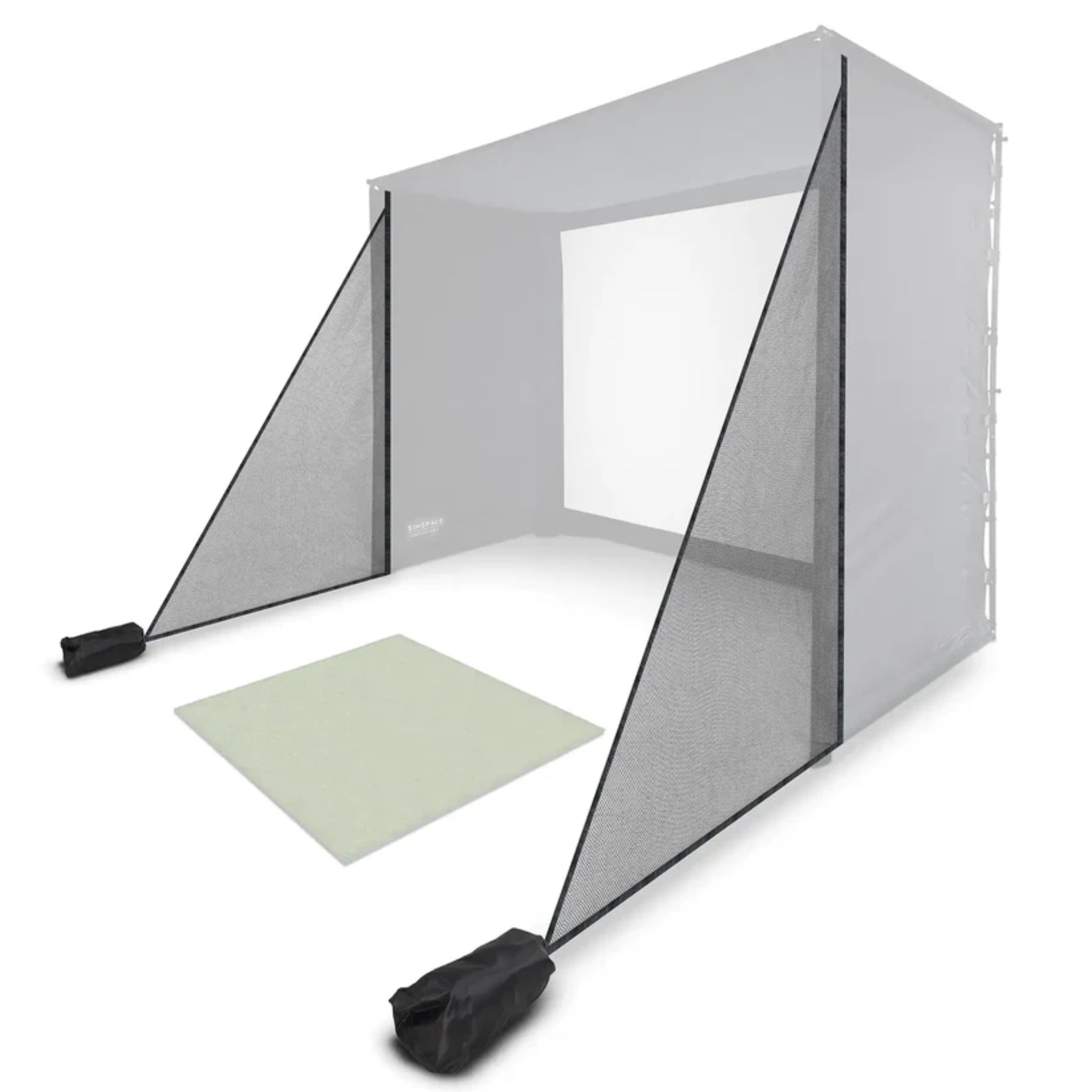
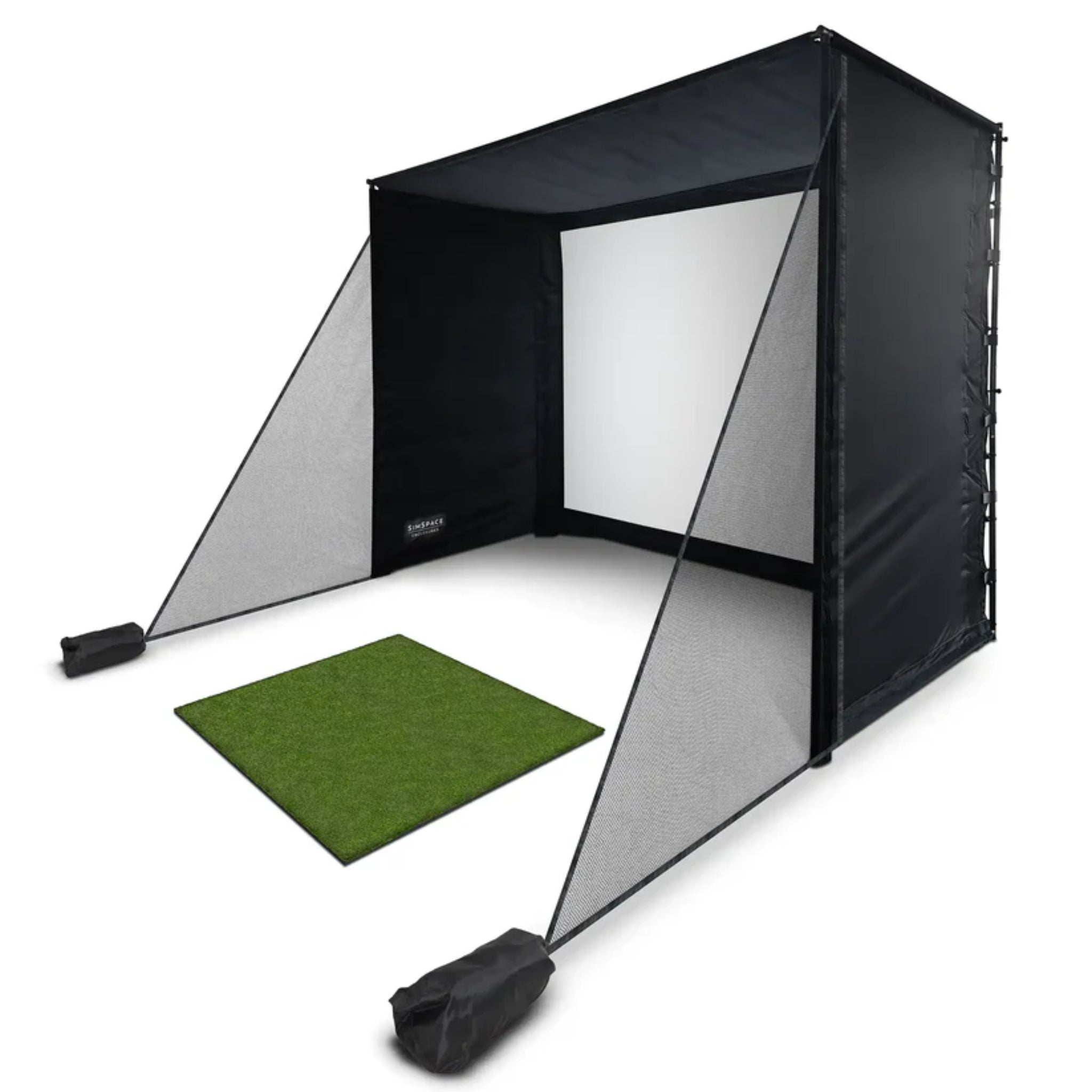
The SimSpace Side Netting for Simulator Enclosures adds an extra layer of protection to your indoor golf simulator setup. Designed to attach directly to compatible SimSpace golf enclosures, these side netting panels help catch mishits and off-center shots before they reach surrounding walls, furniture, equipment, or other areas of the room.
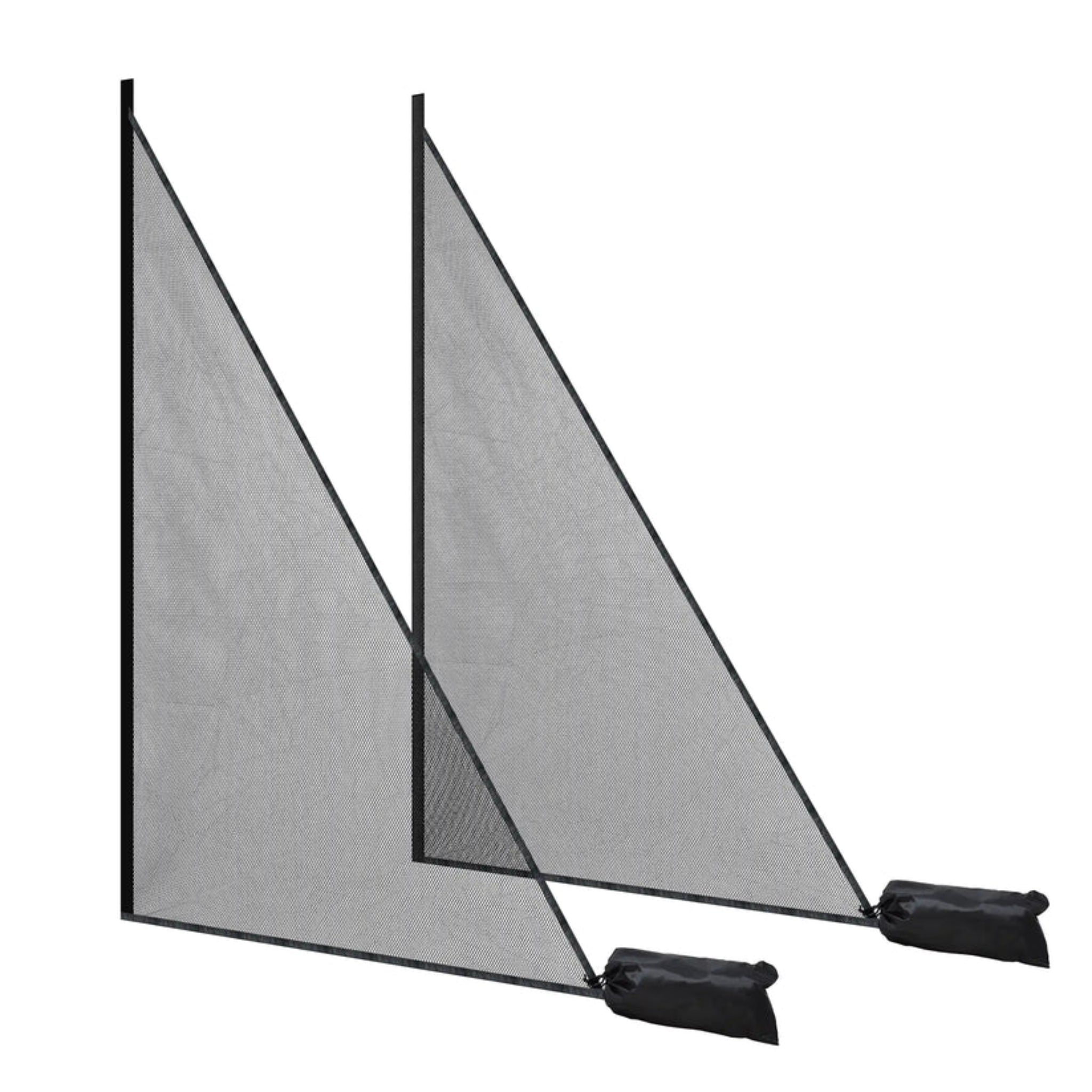
Each side net attaches securely to the enclosure frame using Velcro and extends outward with weighted anchor bags at the bottom to help keep the netting in place. This creates a safer, more controlled hitting environment while maintaining the clean, integrated look of your SimSpace simulator enclosure.
Whether you're upgrading an existing enclosure or adding additional side protection to a new simulator build, SimSpace Side Netting is a practical accessory for golfers who want more confidence during full swings, driver practice, and high-speed indoor training sessions.
BEST FOR:
- Adding side protection to compatible SimSpace golf enclosures
- Helping contain mishits and off-center golf shots
- Garage golf simulator setups
- Indoor golf rooms with walls, furniture, or equipment nearby
- Launch monitor and projector-based simulator spaces
- Golfers wanting a safer and more complete simulator setup
- Short term rentals where additional protection against mishits is warranted
Features
- Protective Side Netting for SimSpace Golf Enclosures
- Helps Catch Mishits and Stray Golf Balls
- Designed to Attach Directly to Compatible Enclosure Frames
- Velcro Attachment for Quick Installation
- Weighted Anchor Bags Help Hold Netting in Place
- Adds Extra Protection for Walls, Furniture, and Simulator Equipment
- Ideal for Indoor Golf Simulator Rooms and Garage Setups
- Creates a More Controlled Practice Environment
- Designed to Integrate Cleanly with SimSpace Enclosures including PLATINUM Simulator Enclosures
Please note: Weighted bags require filling with sand or another suitable weight and are shipped empty. Golf enclosure, hitting mat, launch monitor, projector, and simulator software are sold separately.
Specs
| Model | SimSpace Side Netting for Simulator Enclosures |
| Product Type | Golf Simulator Side Netting Accessory |
| Compatibility | Compatible with SimSpace PLATINUM Golf Enclosures |
| Installation Method | Velcro Attachment to Enclosure Frame |
| Stability System | Weighted Anchor Bags |
| Primary Use | Additional Mishit and Side Protection |
| Use Type | Indoor Golf Simulator Use |
| Included Components | Side netting panels and weighted anchor bags |
FAQs
WHAT DOES SIMSPACE SIDE NETTING DO?
SimSpace Side Netting helps catch mishits, stray shots, and off-center golf balls before they reach surrounding walls, furniture, equipment, or other areas of your simulator room.
IS THIS SIDE NETTING COMPATIBLE WITH ALL SIMSPACE ENCLOSURES?
The side netting is designed for compatible SimSpace Simulator Enclosures including the PLATINUM Golf Simulator Enclosure.
HOW DOES THE SIDE NETTING ATTACH?
The side netting attaches to the enclosure frame using Velcro and extends outward with weighted anchor bags at the bottom to help keep the netting securely in place.
ARE THE WEIGHTED BAGS INCLUDED?
Yes. Weighted anchor bags are included, but they ship empty and must be filled with sand or another suitable weight before use.
DOES THIS INCLUDE THE GOLF ENCLOSURE?
No. This product includes the side netting accessory only. Golf enclosures, hitting mats, launch monitors, projectors, and simulator software are sold separately.
DO I NEED SIDE NETTING FOR MY GOLF SIMULATOR?
Side netting is recommended for simulator rooms where walls, furniture, equipment, or walkways are close to the hitting area. It provides additional protection and helps create a safer indoor practice environment.
Delivery
Transit times vary by destination; most deliveries typically arrive within approximately 5–10 business days. Please review full details in our Shipping Policy.
Returns Policy
Returns are accepted within 30 days of delivery for eligible SimSpace products that are new, unused, and in their original packaging. Restocking fees and return shipping charges may apply. Please review our full Return Policy for details.
Warranty
SimSpace products include a limited manufacturer's warranty covering defects in materials and workmanship under normal residential or commercial use.
Unless otherwise stated on the manufacturer's website, SimSpace products include a one (1) year limited warranty from the date of delivery. Impact screens and hitting mats are also covered against manufacturing defects under normal use.
Damage resulting from misuse, improper installation, unauthorized modifications, accidents, abuse, or normal wear and tear is not covered.
For complete warranty terms, conditions, exclusions, and claim procedures, please refer to the manufacturer's official warranty documentation included with your product.
Choose options
Description
The SimSpace Side Netting for Simulator Enclosures adds an extra layer of protection to your indoor golf simulator setup. Designed to attach directly to compatible SimSpace golf enclosures, these side netting panels help catch mishits and off-center shots before they reach surrounding walls, furniture, equipment, or other areas of the room.
Each side net attaches securely to the enclosure frame using Velcro and extends outward with weighted anchor bags at the bottom to help keep the netting in place. This creates a safer, more controlled hitting environment while maintaining the clean, integrated look of your SimSpace simulator enclosure.
Whether you're upgrading an existing enclosure or adding additional side protection to a new simulator build, SimSpace Side Netting is a practical accessory for golfers who want more confidence during full swings, driver practice, and high-speed indoor training sessions.
BEST FOR:
- Adding side protection to compatible SimSpace golf enclosures
- Helping contain mishits and off-center golf shots
- Garage golf simulator setups
- Indoor golf rooms with walls, furniture, or equipment nearby
- Launch monitor and projector-based simulator spaces
- Golfers wanting a safer and more complete simulator setup
- Short term rentals where additional protection against mishits is warranted
Features
- Protective Side Netting for SimSpace Golf Enclosures
- Helps Catch Mishits and Stray Golf Balls
- Designed to Attach Directly to Compatible Enclosure Frames
- Velcro Attachment for Quick Installation
- Weighted Anchor Bags Help Hold Netting in Place
- Adds Extra Protection for Walls, Furniture, and Simulator Equipment
- Ideal for Indoor Golf Simulator Rooms and Garage Setups
- Creates a More Controlled Practice Environment
- Designed to Integrate Cleanly with SimSpace Enclosures including PLATINUM Simulator Enclosures
Please note: Weighted bags require filling with sand or another suitable weight and are shipped empty. Golf enclosure, hitting mat, launch monitor, projector, and simulator software are sold separately.
Specs
| Model | SimSpace Side Netting for Simulator Enclosures |
| Product Type | Golf Simulator Side Netting Accessory |
| Compatibility | Compatible with SimSpace PLATINUM Golf Enclosures |
| Installation Method | Velcro Attachment to Enclosure Frame |
| Stability System | Weighted Anchor Bags |
| Primary Use | Additional Mishit and Side Protection |
| Use Type | Indoor Golf Simulator Use |
| Included Components | Side netting panels and weighted anchor bags |
FAQs
WHAT DOES SIMSPACE SIDE NETTING DO?
SimSpace Side Netting helps catch mishits, stray shots, and off-center golf balls before they reach surrounding walls, furniture, equipment, or other areas of your simulator room.
IS THIS SIDE NETTING COMPATIBLE WITH ALL SIMSPACE ENCLOSURES?
The side netting is designed for compatible SimSpace Simulator Enclosures including the PLATINUM Golf Simulator Enclosure.
HOW DOES THE SIDE NETTING ATTACH?
The side netting attaches to the enclosure frame using Velcro and extends outward with weighted anchor bags at the bottom to help keep the netting securely in place.
ARE THE WEIGHTED BAGS INCLUDED?
Yes. Weighted anchor bags are included, but they ship empty and must be filled with sand or another suitable weight before use.
DOES THIS INCLUDE THE GOLF ENCLOSURE?
No. This product includes the side netting accessory only. Golf enclosures, hitting mats, launch monitors, projectors, and simulator software are sold separately.
DO I NEED SIDE NETTING FOR MY GOLF SIMULATOR?
Side netting is recommended for simulator rooms where walls, furniture, equipment, or walkways are close to the hitting area. It provides additional protection and helps create a safer indoor practice environment.
Delivery
Transit times vary by destination; most deliveries typically arrive within approximately 5–10 business days. Please review full details in our Shipping Policy.
Returns Policy
Returns are accepted within 30 days of delivery for eligible SimSpace products that are new, unused, and in their original packaging. Restocking fees and return shipping charges may apply. Please review our full Return Policy for details.
Warranty
SimSpace products include a limited manufacturer's warranty covering defects in materials and workmanship under normal residential or commercial use.
Unless otherwise stated on the manufacturer's website, SimSpace products include a one (1) year limited warranty from the date of delivery. Impact screens and hitting mats are also covered against manufacturing defects under normal use.
Damage resulting from misuse, improper installation, unauthorized modifications, accidents, abuse, or normal wear and tear is not covered.
For complete warranty terms, conditions, exclusions, and claim procedures, please refer to the manufacturer's official warranty documentation included with your product.