



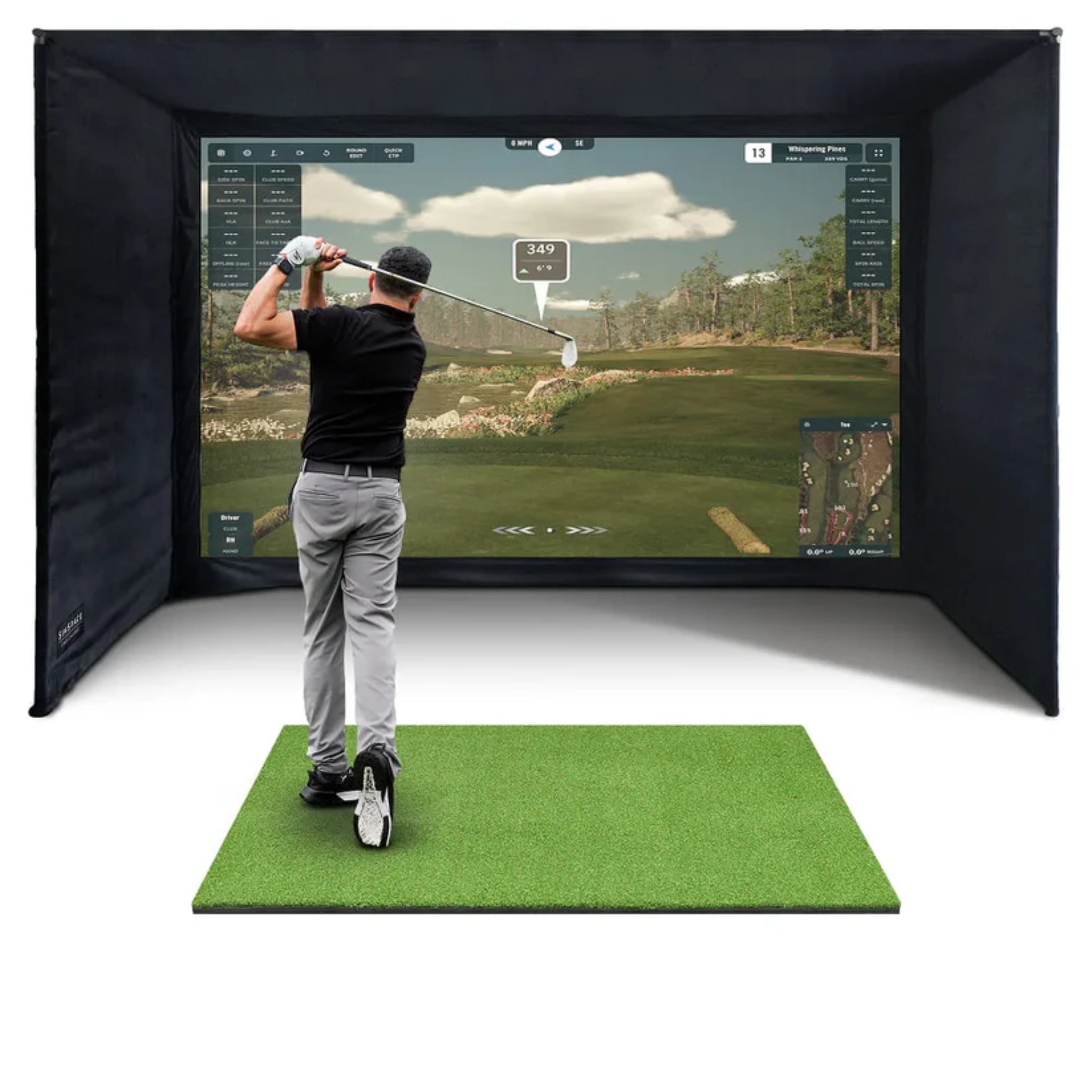
SimSpace PLATINUM Golf Simulator Enclosure
Free Standard Shipping
Description
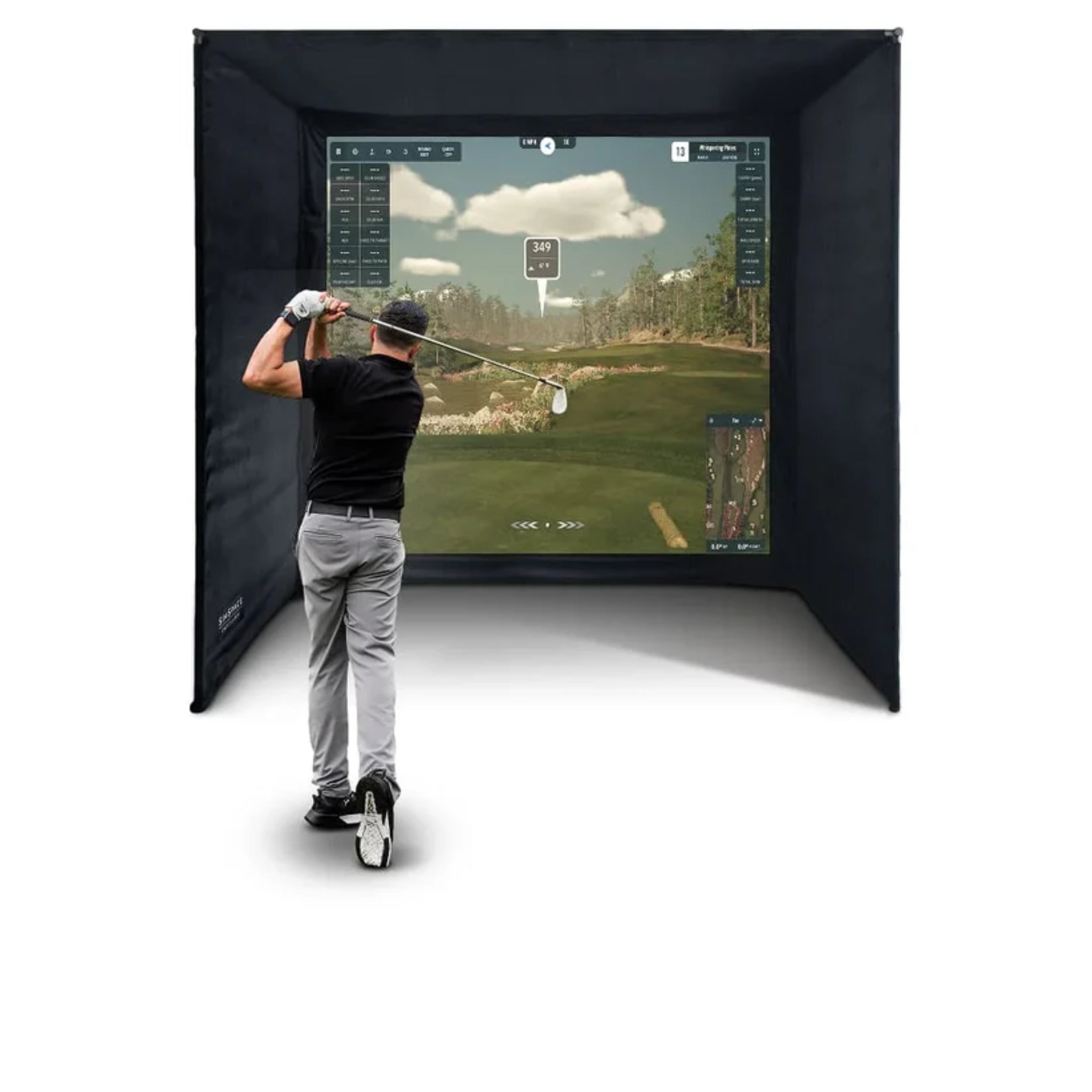
The SimSpace Platinum Golf Simulator Enclosure is a premium indoor golf simulator enclosure designed for golfers who want upgraded screen performance, durability, and a more refined simulator experience. Built for home golf rooms, garages, coaching studios, and dedicated simulator spaces, the Platinum series combines a strong metal frame system, black velour enclosure panels, and SimSpace’s 3-layer Platinum impact screen.
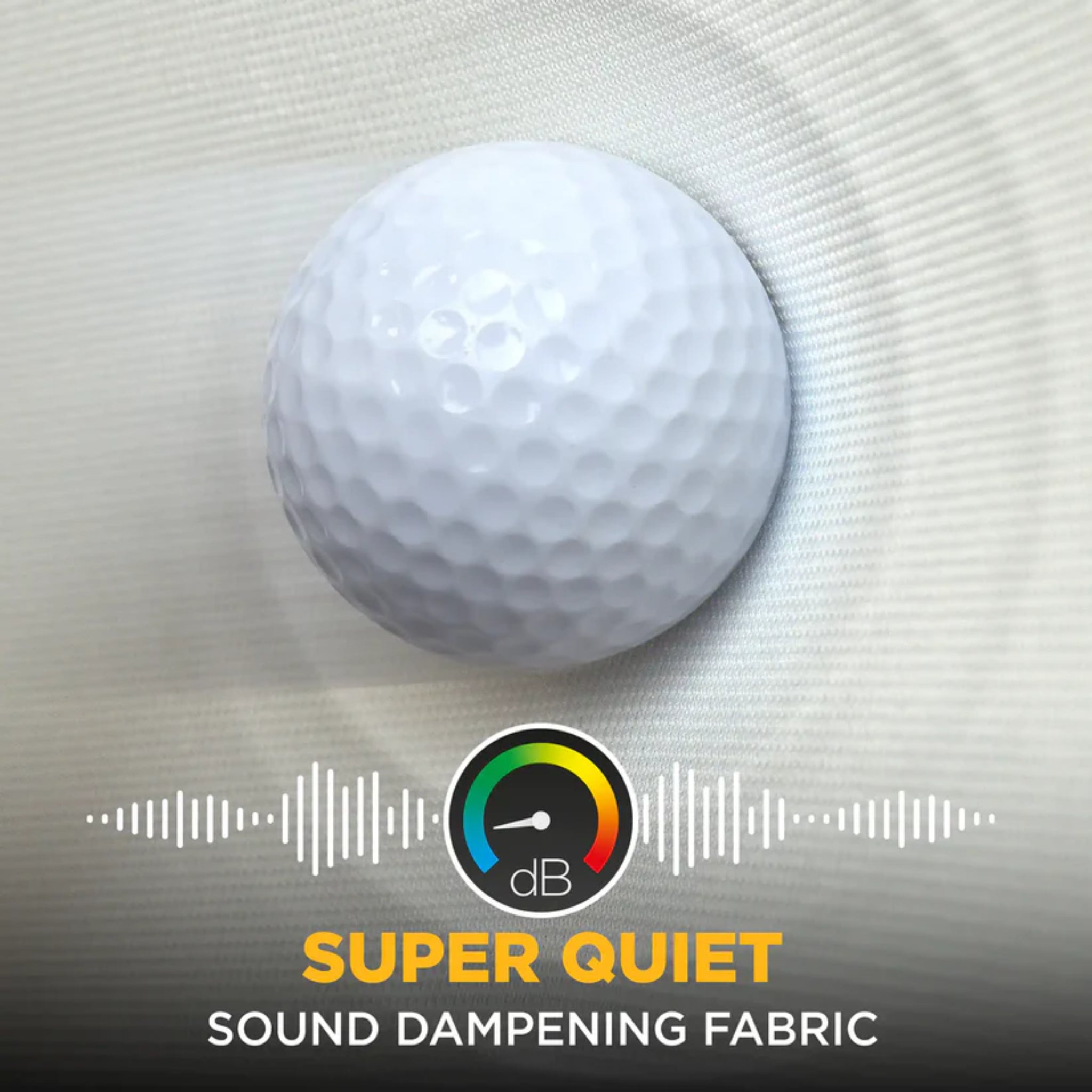
Available in six size configurations, the Platinum enclosure allows golfers to choose the right width, height, depth, and screen ratio for their space. The upgraded Platinum impact screen is designed to absorb repeated golf ball impact, reduce noise, and support clear 4K projection, while the black velour panels help control light spill for a cleaner simulator image.
The Platinum series is best suited for golfers who want a higher-performance impact screen with enhanced durability, quieter impact response, and a smoother projection surface. It is a strong choice for serious home simulator users, instructors, and higher-use indoor golf environments.
BEST FOR:
- Premium home golf simulator rooms
- Garage golf simulator setups
- Golfers wanting an upgraded impact screen
- Launch monitor and projector-based simulator systems
- Indoor golf practice with improved sound dampening
- Coaching studios and higher-use simulator spaces
- Players wanting a more refined projection and impact experience
Create a professional-quality golf practice set up with compatible accessories designed to work seamlessly with your SimSpace enclosure.
- SimSpace Tee Turf Golf Hitting Mat
- Real Feel Country Club Elite Golf Hitting Mats
- Real Feel Centerstrike System Golf Hitting Mats
Features
- Premium Platinum Golf Simulator Enclosure Design
- Available in Six Size Configurations
- 3-Layer Platinum Impact Screen
- Designed for Clear 4K Projection
- Improved Impact Absorption and Sound Dampening
- Multiple Screen Ratio Options Including 1:1, 4:3, and 16:10
- Strong Metal Frame Structure
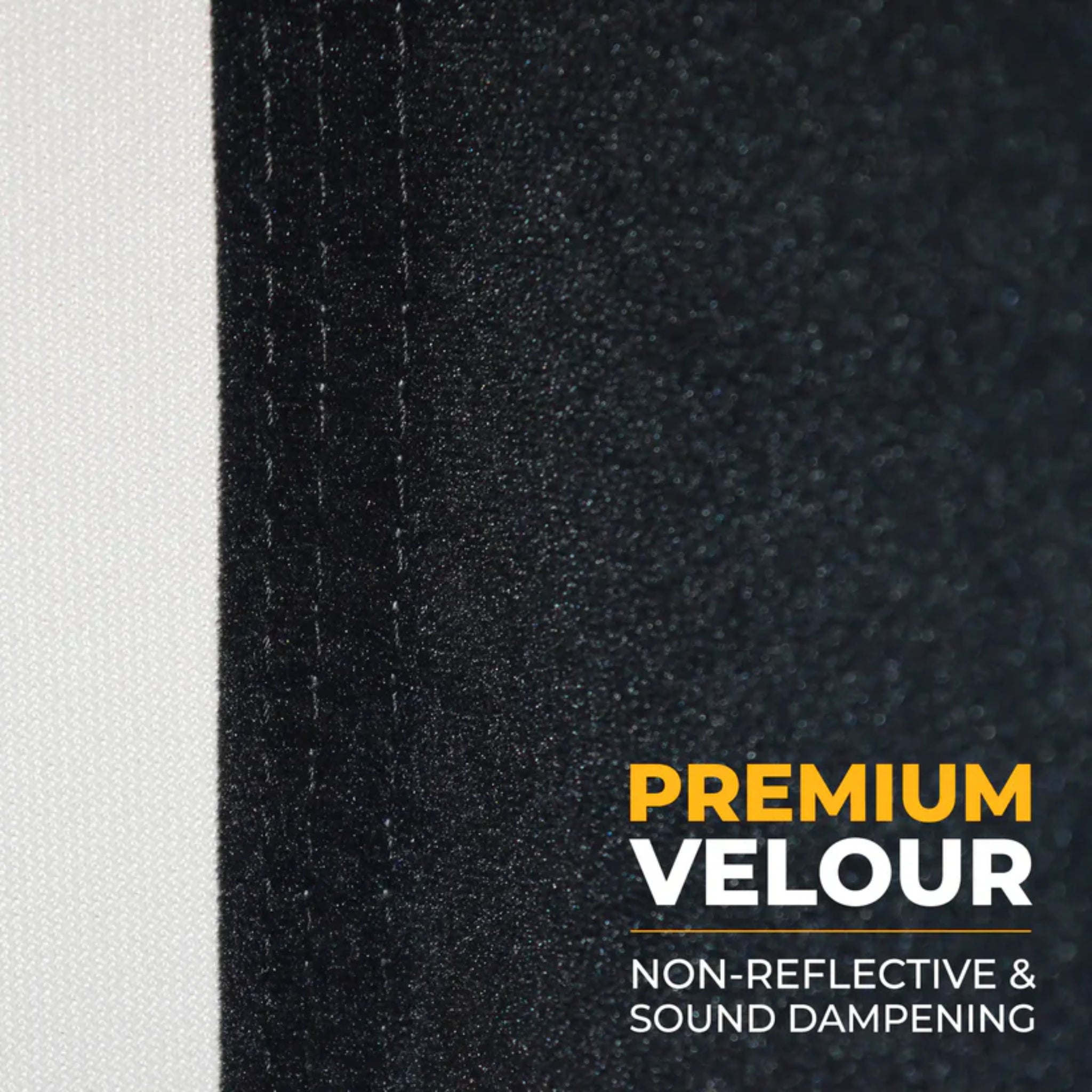
- Black Velour Side and Ceiling Panels
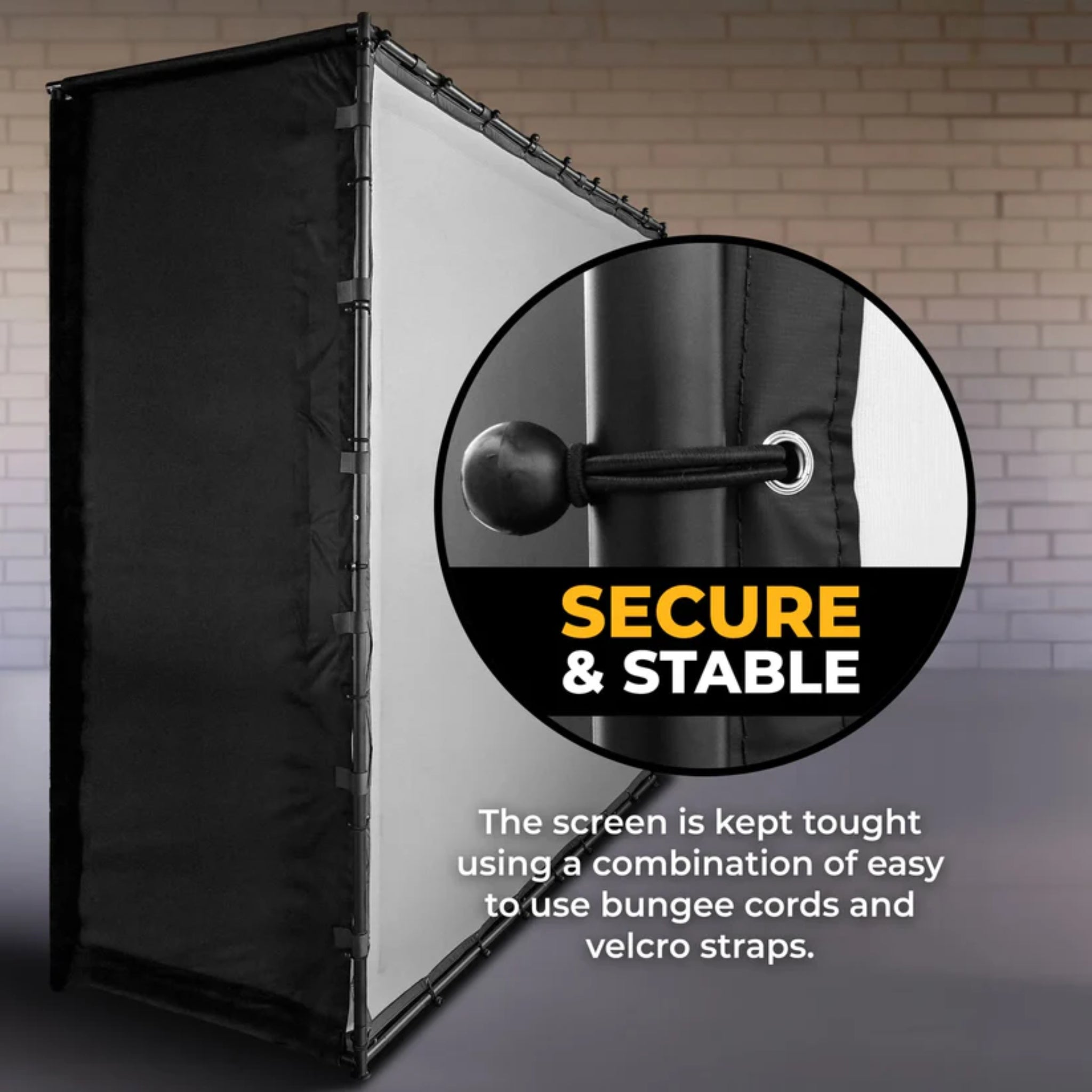
- Bungee Tension System for Screen Attachment
- Designed to Help Reduce Light Spill for Clearer Projection
- Helps Contain Stray Shots and Mishits
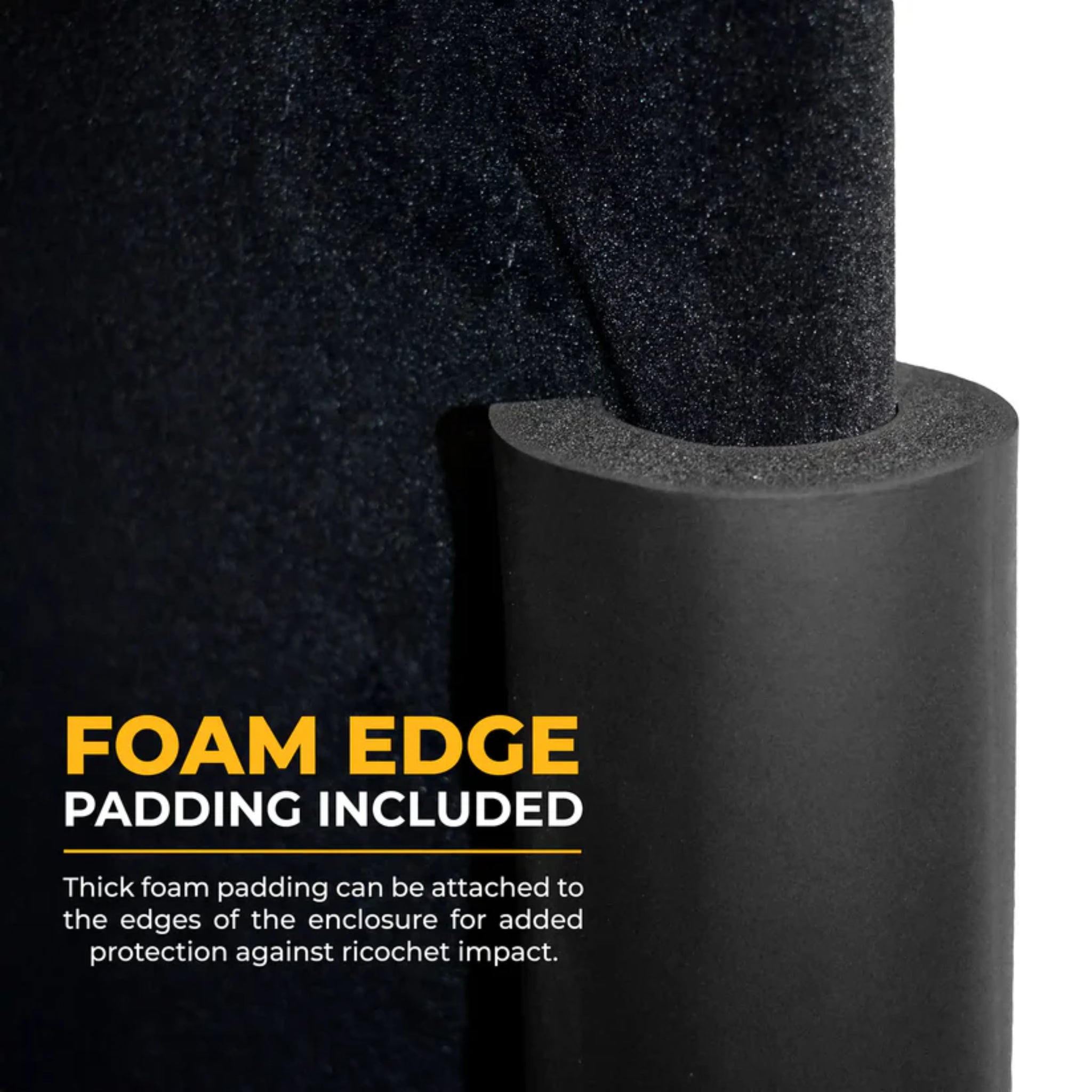
- Foam Pole Padding Included
- Quick-Fit Frame Assembly
- Suitable for Indoor Golf Simulator Setups
- Approximate 20–30 Minute Setup with Two People
Please note: Hitting mat, launch monitor, projector, and simulator software are sold separately.
Specs
SIMSPACE GOLF ENCLOSURE ASSEMBLY MANUAL
| Model | SimSpace Platinum Golf Simulator Enclosure |
| Available Sizes | SIM 1, SIM 2, SIM 3, SIM 4, SIM 5, SIM 6 |
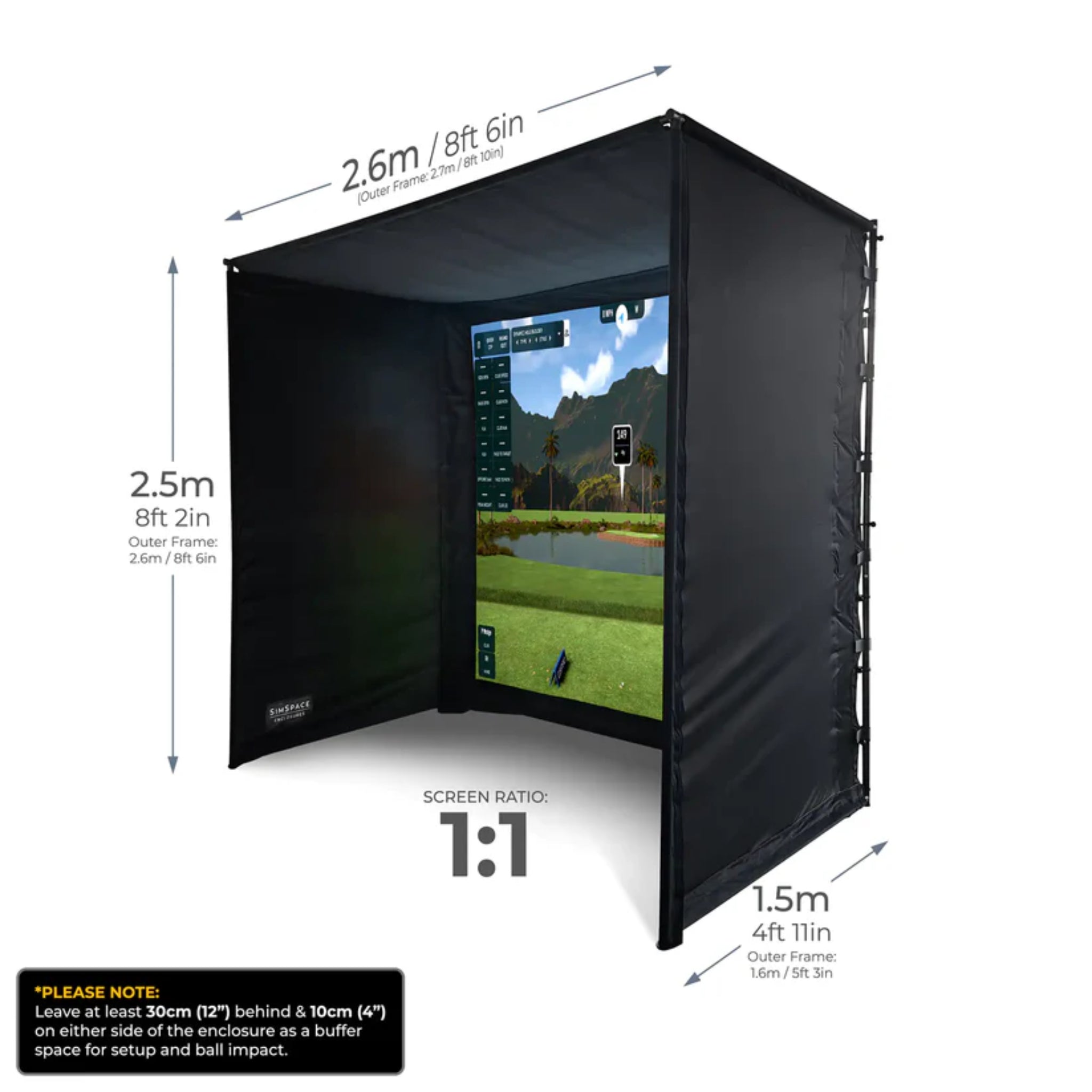
| SIM 1 Dimensions | 8' 6" W x 8' 2" H x 4' 11" D | Screen Ratio: 1:1 |
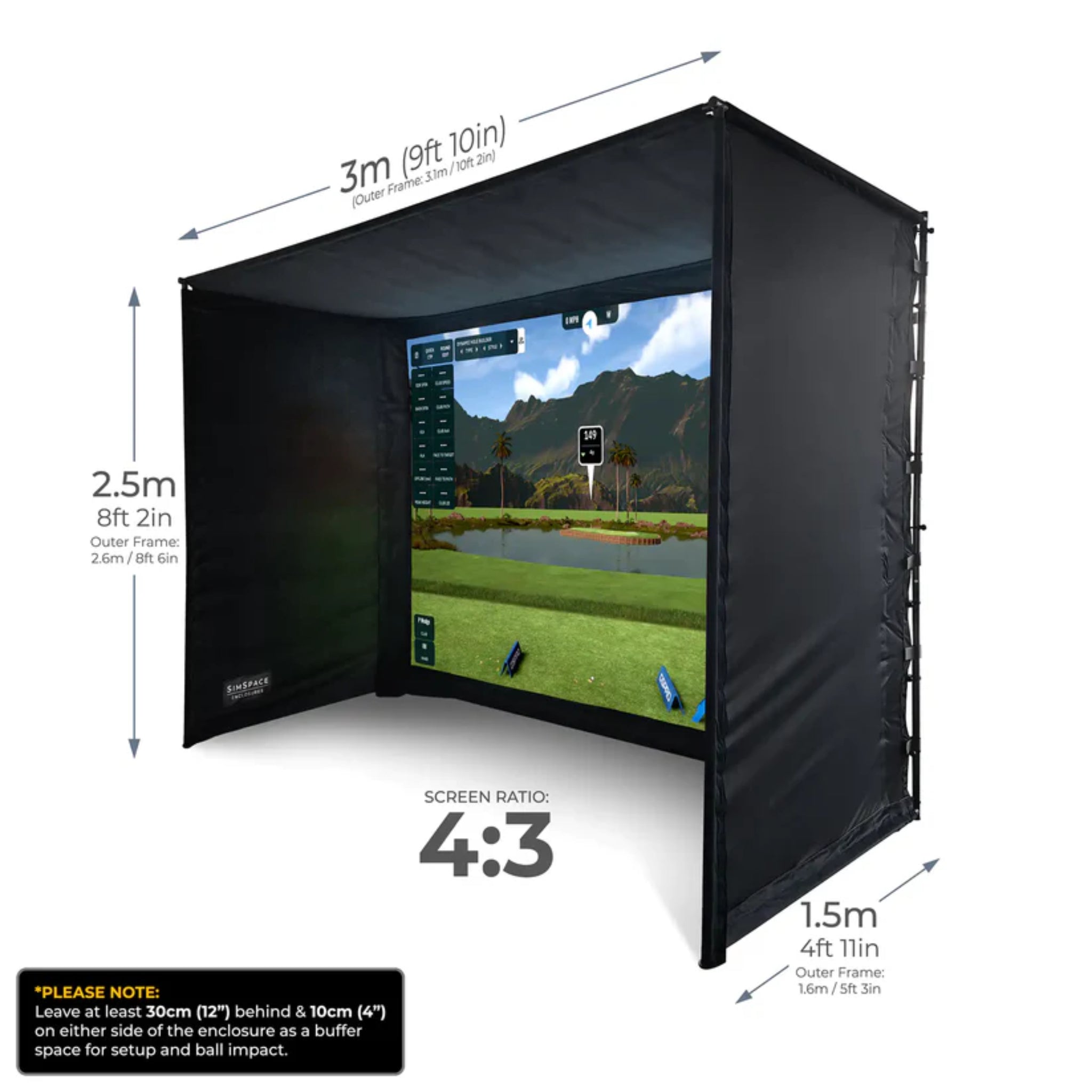
| SIM 2 Dimensions | 9' 10" W x 8' 2" H x 4' 11" D | Screen Ratio: 4:3 |
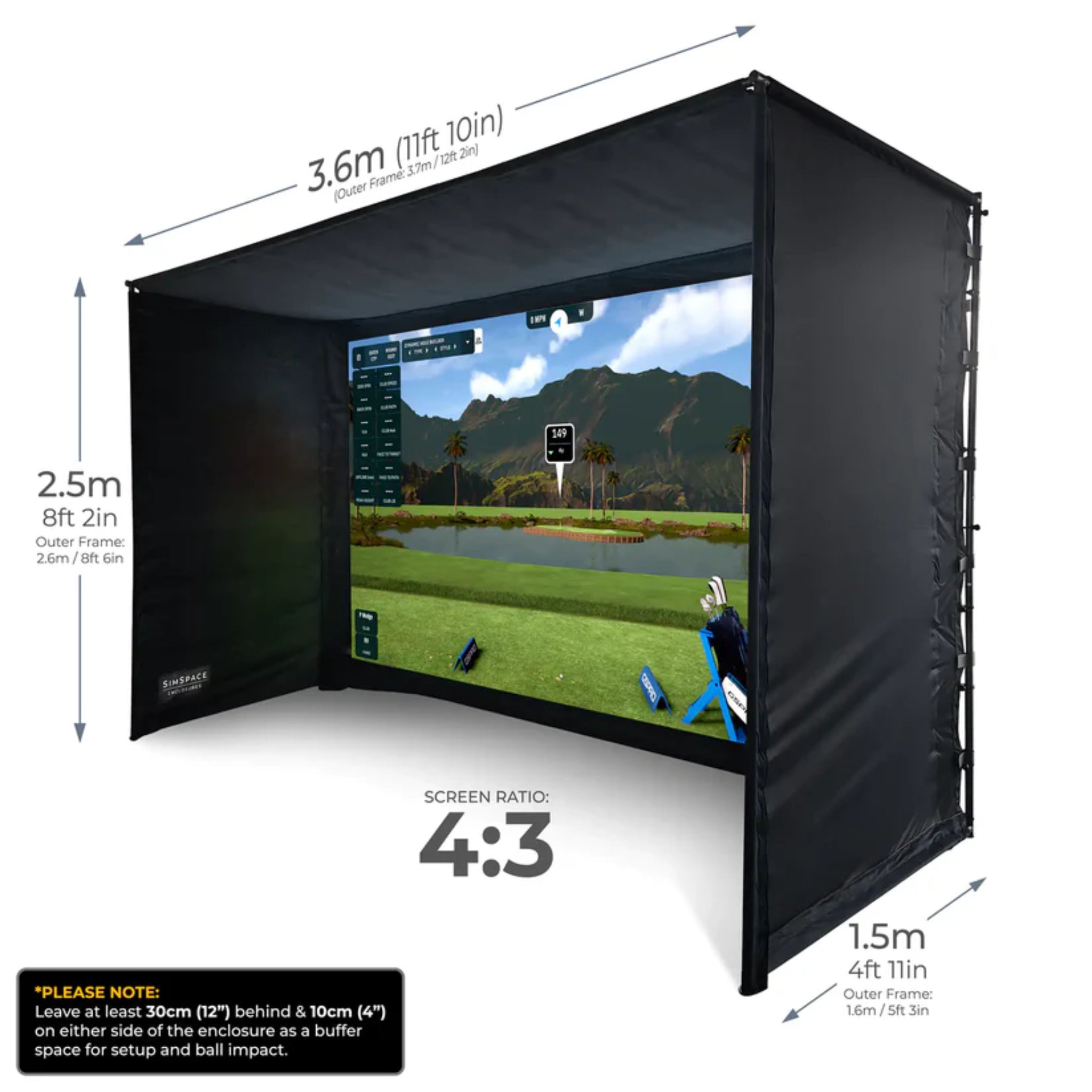
| SIM 3 Dimensions | 11' 10" W x 8' 2" H x 4' 11" D | Screen Ratio: 4:3 |
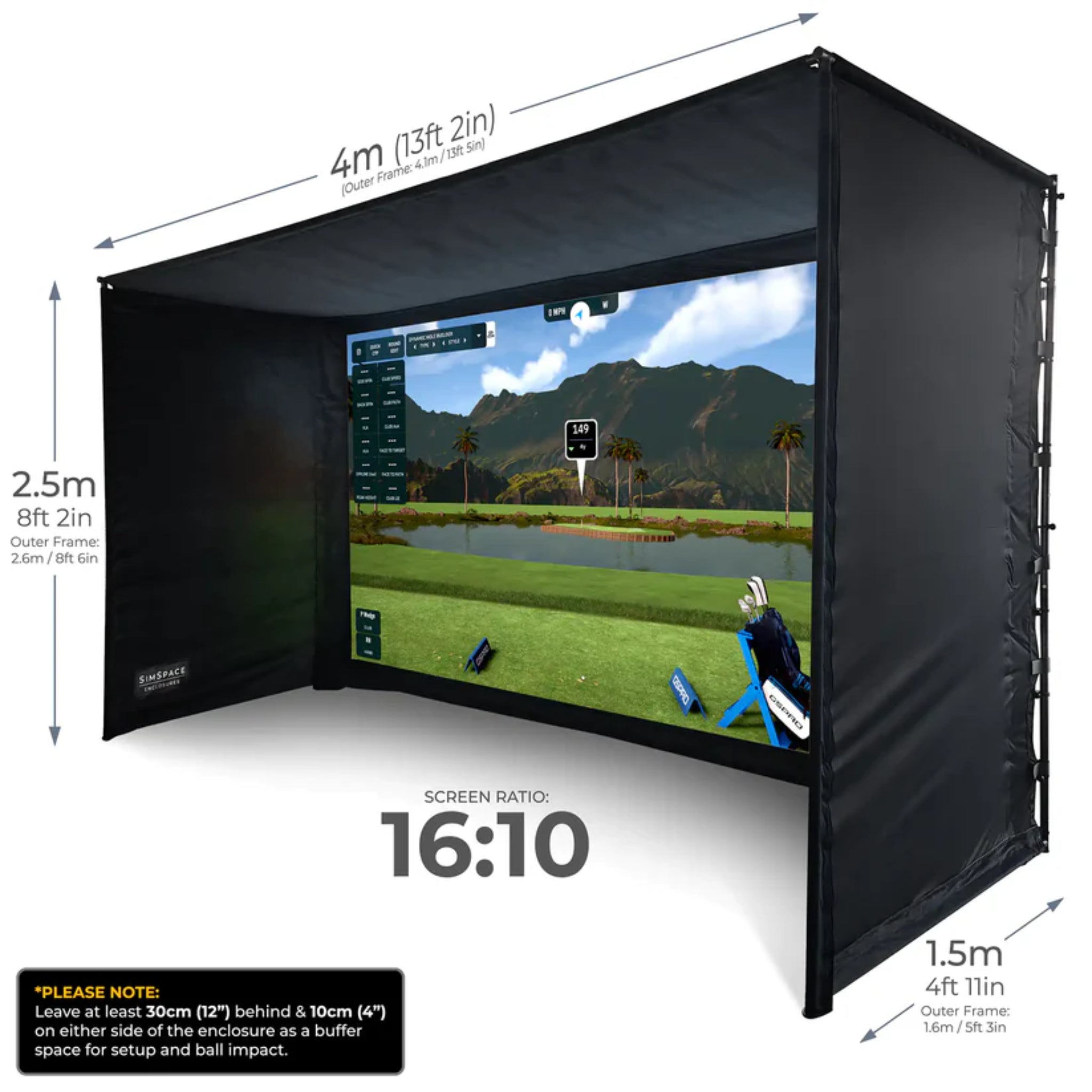
| SIM 4 Dimensions | 13' 2" W x 8' 2" H x 4' 11" D | Screen Ratio: 16:10 |
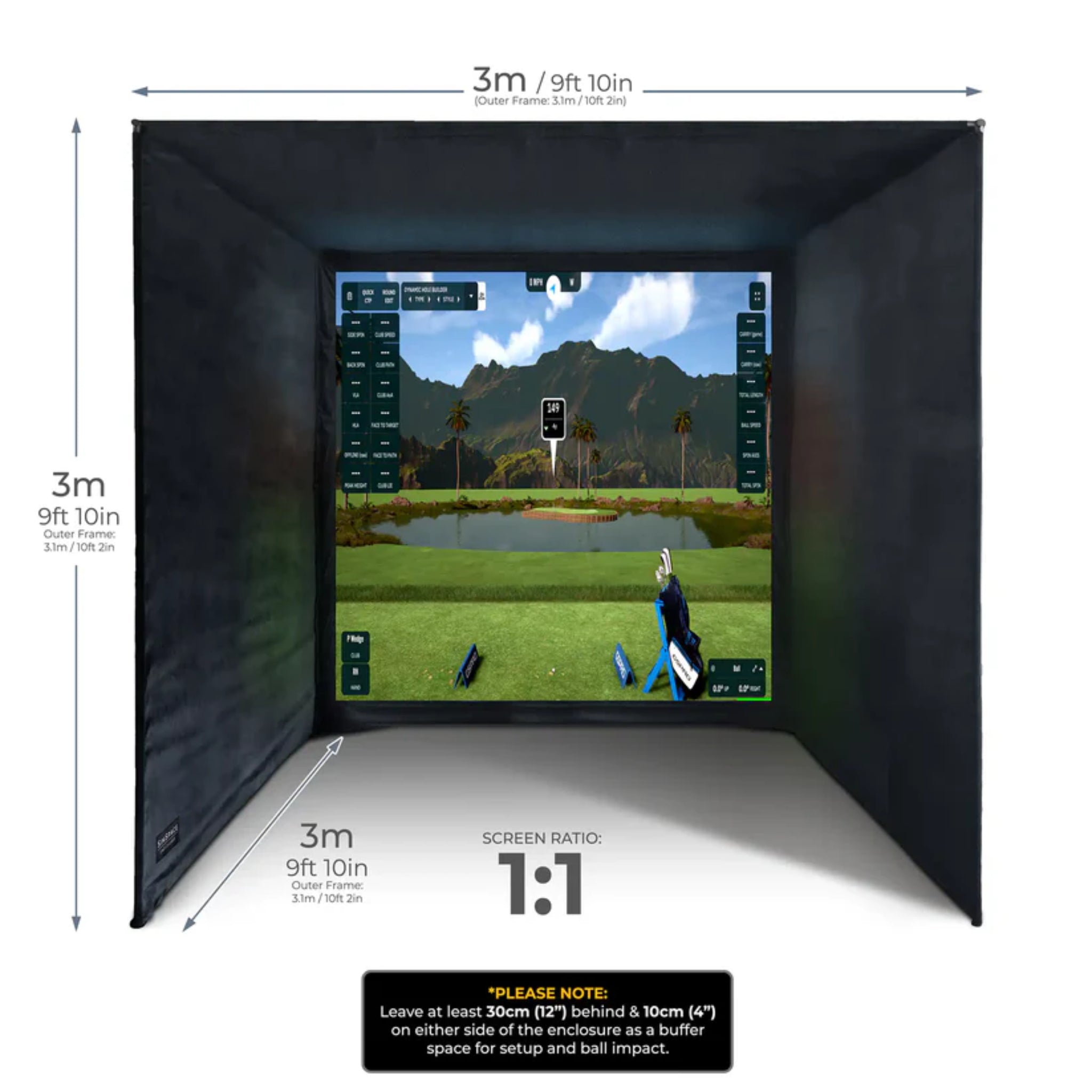
| SIM 5 Dimensions | 9' 10" W x 9' 10" H x 9' 10" D | Screen Ratio: 1:1 |
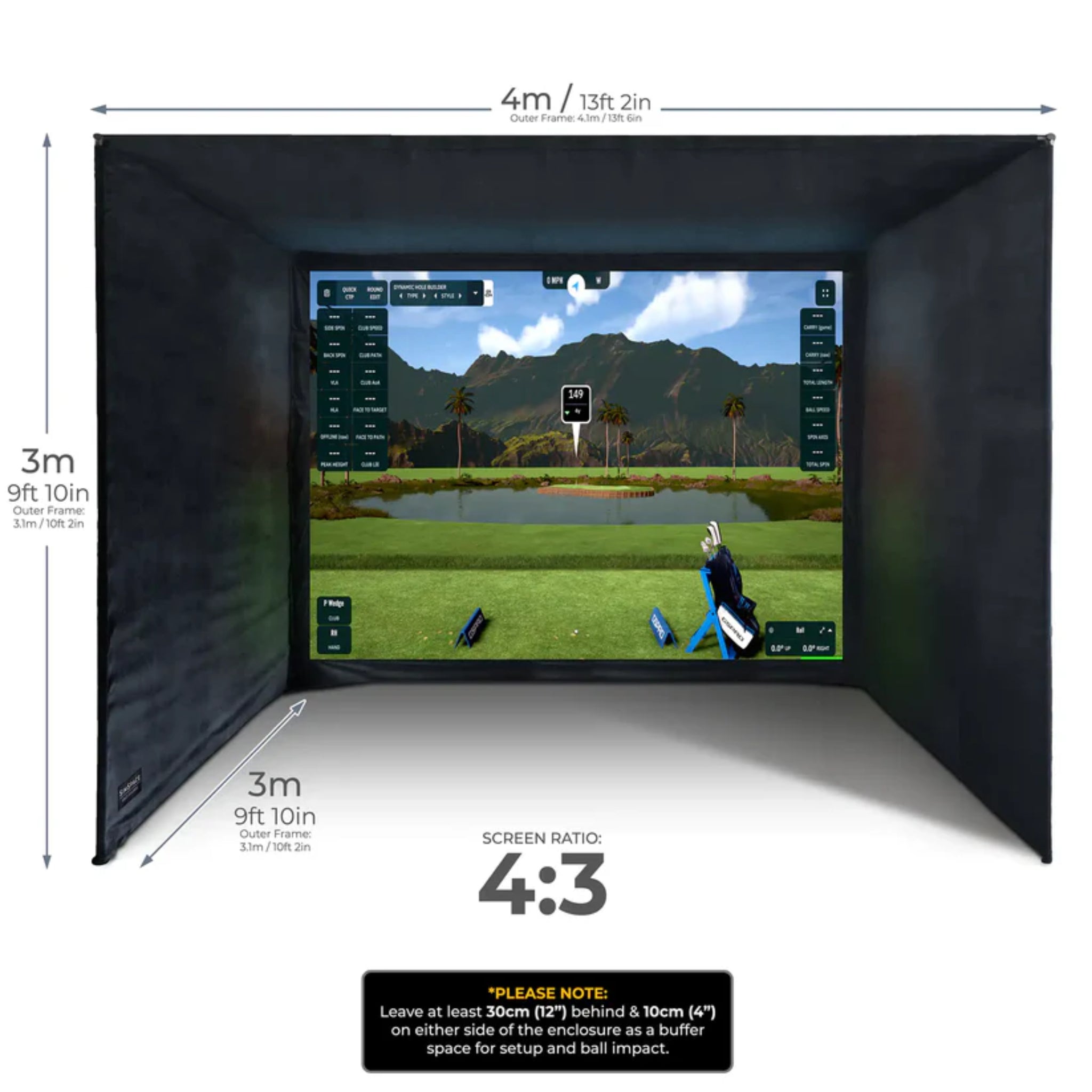
| SIM 6 Dimensions | 13' 2" W x 9' 10" H x 9' 10" D | Screen Ratio: 4:3 |
| Impact Screen Type | 3-Layer Platinum Impact Screen |
| Projection Compatibility | Designed for 4K Projector-Based Golf Simulator Use |
| Frame Material | Metal Frame System |
| Panel Material | Black Velour Side and Ceiling Panels |
| Screen Attachment | Bungee Toggle Tension System |
| Padding | Foam Padding Tubes Included |
| Recommended Clearance | At least 20" behind the impact screen and 8" on each side of the enclosure |
| Assembly Time | Approximately 20–30 Minutes with Two People |
| Use Type | Indoor Golf Simulator Use |
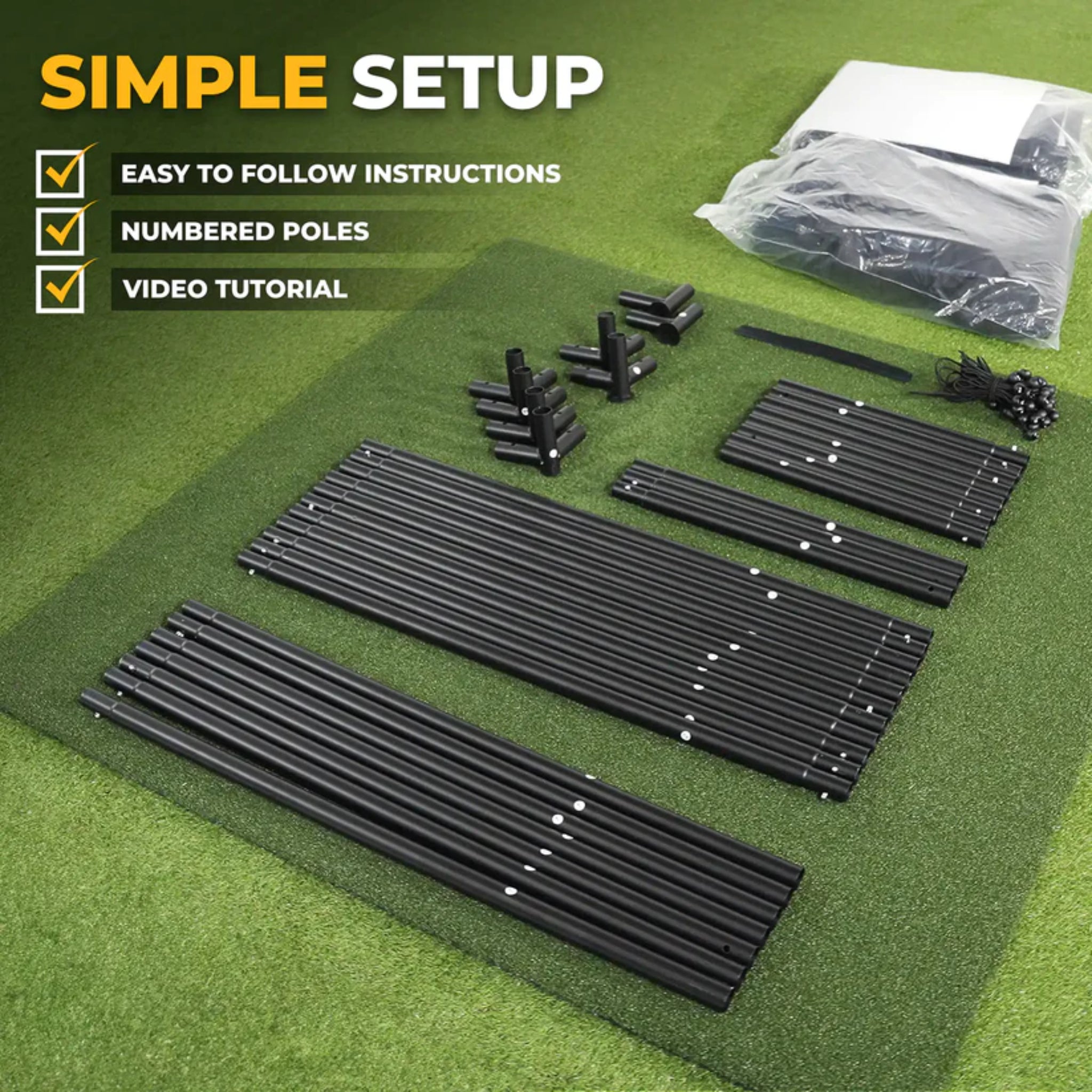
| Included Components | Black velour enclosure panels, 3-layer Platinum impact screen, easy connect metal poles, bungee cords, Velcro straps, foam padding tubes, and installation guide |
Please note: Dimensions are approximate and may vary slightly due to manufacturing tolerances. Always confirm room dimensions, swing clearance, launch monitor spacing, projector placement, and required ball flight distance before installation.
Installation
The SimSpace Platinum Golf Simulator Enclosure is designed for straightforward assembly with two people. The enclosure is assembled using a modular frame system, Velcro panel attachments, and bungee toggles to tension the impact screen.
For additional assembly instructions, please visit our Golf Simulator Installation Resources page.
FAQs
WHAT SIZE SIMSPACE PLATINUM ENCLOSURE SHOULD I CHOOSE?
The best size depends on your available room dimensions, ceiling height, swing clearance, launch monitor requirements, projector placement, and preferred screen ratio. Always measure your space carefully and allow the recommended clearance around the enclosure before selecting a size.
DOES THE SIMSPACE PLATINUM GOLF ENCLOSURE INCLUDE A HITTING MAT?
No. The hitting mat is sold separately unless specifically included in a bundle or promotion. This product includes the enclosure components, Platinum impact screen, frame system, padding, and installation materials.
IS THE PLATINUM IMPACT SCREEN INCLUDED?
Yes. The SimSpace Platinum Golf Enclosure includes the 3-layer Platinum impact screen designed for projector-based simulator use, repeated golf ball impact, and clear image projection.
IS THE PLATINUM ENCLOSURE COMPATIBLE WITH GOLF SIMULATORS?
Yes. The enclosure is designed for use with launch monitors, projectors, and golf simulator software. Compatibility ultimately depends on your launch monitor's space requirements and your room layout.
HOW LONG DOES ASSEMBLY TAKE?
Most installations take approximately 20–30 minutes with two adults using the included frame system, Velcro attachment system, and bungee screen tensioning.
WHAT IS INCLUDED WITH THE SIMSPACE PLATINUM GOLF ENCLOSURE?
The enclosure includes black velour enclosure panels, a 3-layer Platinum impact screen, easy connect metal poles, bungee cords, Velcro straps, foam padding tubes, and installation instructions. Launch monitors, projectors, hitting mats, and simulator software are sold separately unless otherwise noted.
CAN THE ENCLOSURE BE TAKEN DOWN AFTER INSTALLATION?
Yes. Although designed as a premium simulator enclosure, the modular frame allows the system to be disassembled and relocated if needed.
Delivery
Transit times vary by destination; most deliveries typically arrive within approximately 5–10 business days. Please review full details in our Shipping Policy.
Returns Policy
Returns are accepted within 30 days of delivery for eligible SimSpace products that are new, unused, and in their original packaging. Restocking fees and return shipping charges may apply. Please review our full Return Policy for details.
Warranty
SimSpace products include a limited manufacturer's warranty covering defects in materials and workmanship under normal residential or commercial use.
Unless otherwise stated on the manufacturer's website, SimSpace products include a one (1) year limited warranty from the date of delivery. Impact screens and hitting mats are also covered against manufacturing defects under normal use.
Damage resulting from misuse, improper installation, unauthorized modifications, accidents, abuse, or normal wear and tear is not covered.
For complete warranty terms, conditions, exclusions, and claim procedures, please refer to the manufacturer's official warranty documentation included with your product.
Choose options
Description
The SimSpace Platinum Golf Simulator Enclosure is a premium indoor golf simulator enclosure designed for golfers who want upgraded screen performance, durability, and a more refined simulator experience. Built for home golf rooms, garages, coaching studios, and dedicated simulator spaces, the Platinum series combines a strong metal frame system, black velour enclosure panels, and SimSpace’s 3-layer Platinum impact screen.
Available in six size configurations, the Platinum enclosure allows golfers to choose the right width, height, depth, and screen ratio for their space. The upgraded Platinum impact screen is designed to absorb repeated golf ball impact, reduce noise, and support clear 4K projection, while the black velour panels help control light spill for a cleaner simulator image.
The Platinum series is best suited for golfers who want a higher-performance impact screen with enhanced durability, quieter impact response, and a smoother projection surface. It is a strong choice for serious home simulator users, instructors, and higher-use indoor golf environments.
BEST FOR:
- Premium home golf simulator rooms
- Garage golf simulator setups
- Golfers wanting an upgraded impact screen
- Launch monitor and projector-based simulator systems
- Indoor golf practice with improved sound dampening
- Coaching studios and higher-use simulator spaces
- Players wanting a more refined projection and impact experience
Create a professional-quality golf practice set up with compatible accessories designed to work seamlessly with your SimSpace enclosure.
- SimSpace Tee Turf Golf Hitting Mat
- Real Feel Country Club Elite Golf Hitting Mats
- Real Feel Centerstrike System Golf Hitting Mats
Features
- Premium Platinum Golf Simulator Enclosure Design
- Available in Six Size Configurations
- 3-Layer Platinum Impact Screen
- Designed for Clear 4K Projection
- Improved Impact Absorption and Sound Dampening
- Multiple Screen Ratio Options Including 1:1, 4:3, and 16:10
- Strong Metal Frame Structure
- Black Velour Side and Ceiling Panels
- Bungee Tension System for Screen Attachment
- Designed to Help Reduce Light Spill for Clearer Projection
- Helps Contain Stray Shots and Mishits
- Foam Pole Padding Included
- Quick-Fit Frame Assembly
- Suitable for Indoor Golf Simulator Setups
- Approximate 20–30 Minute Setup with Two People
Please note: Hitting mat, launch monitor, projector, and simulator software are sold separately.
Specs
SIMSPACE GOLF ENCLOSURE ASSEMBLY MANUAL
| Model | SimSpace Platinum Golf Simulator Enclosure |
| Available Sizes | SIM 1, SIM 2, SIM 3, SIM 4, SIM 5, SIM 6 |
| SIM 1 Dimensions | 8' 6" W x 8' 2" H x 4' 11" D | Screen Ratio: 1:1 |
| SIM 2 Dimensions | 9' 10" W x 8' 2" H x 4' 11" D | Screen Ratio: 4:3 |
| SIM 3 Dimensions | 11' 10" W x 8' 2" H x 4' 11" D | Screen Ratio: 4:3 |
| SIM 4 Dimensions | 13' 2" W x 8' 2" H x 4' 11" D | Screen Ratio: 16:10 |
| SIM 5 Dimensions | 9' 10" W x 9' 10" H x 9' 10" D | Screen Ratio: 1:1 |
| SIM 6 Dimensions | 13' 2" W x 9' 10" H x 9' 10" D | Screen Ratio: 4:3 |
| Impact Screen Type | 3-Layer Platinum Impact Screen |
| Projection Compatibility | Designed for 4K Projector-Based Golf Simulator Use |
| Frame Material | Metal Frame System |
| Panel Material | Black Velour Side and Ceiling Panels |
| Screen Attachment | Bungee Toggle Tension System |
| Padding | Foam Padding Tubes Included |
| Recommended Clearance | At least 20" behind the impact screen and 8" on each side of the enclosure |
| Assembly Time | Approximately 20–30 Minutes with Two People |
| Use Type | Indoor Golf Simulator Use |
| Included Components | Black velour enclosure panels, 3-layer Platinum impact screen, easy connect metal poles, bungee cords, Velcro straps, foam padding tubes, and installation guide |
Please note: Dimensions are approximate and may vary slightly due to manufacturing tolerances. Always confirm room dimensions, swing clearance, launch monitor spacing, projector placement, and required ball flight distance before installation.
Installation
The SimSpace Platinum Golf Simulator Enclosure is designed for straightforward assembly with two people. The enclosure is assembled using a modular frame system, Velcro panel attachments, and bungee toggles to tension the impact screen.
For additional assembly instructions, please visit our Golf Simulator Installation Resources page.
FAQs
WHAT SIZE SIMSPACE PLATINUM ENCLOSURE SHOULD I CHOOSE?
The best size depends on your available room dimensions, ceiling height, swing clearance, launch monitor requirements, projector placement, and preferred screen ratio. Always measure your space carefully and allow the recommended clearance around the enclosure before selecting a size.
DOES THE SIMSPACE PLATINUM GOLF ENCLOSURE INCLUDE A HITTING MAT?
No. The hitting mat is sold separately unless specifically included in a bundle or promotion. This product includes the enclosure components, Platinum impact screen, frame system, padding, and installation materials.
IS THE PLATINUM IMPACT SCREEN INCLUDED?
Yes. The SimSpace Platinum Golf Enclosure includes the 3-layer Platinum impact screen designed for projector-based simulator use, repeated golf ball impact, and clear image projection.
IS THE PLATINUM ENCLOSURE COMPATIBLE WITH GOLF SIMULATORS?
Yes. The enclosure is designed for use with launch monitors, projectors, and golf simulator software. Compatibility ultimately depends on your launch monitor's space requirements and your room layout.
HOW LONG DOES ASSEMBLY TAKE?
Most installations take approximately 20–30 minutes with two adults using the included frame system, Velcro attachment system, and bungee screen tensioning.
WHAT IS INCLUDED WITH THE SIMSPACE PLATINUM GOLF ENCLOSURE?
The enclosure includes black velour enclosure panels, a 3-layer Platinum impact screen, easy connect metal poles, bungee cords, Velcro straps, foam padding tubes, and installation instructions. Launch monitors, projectors, hitting mats, and simulator software are sold separately unless otherwise noted.
CAN THE ENCLOSURE BE TAKEN DOWN AFTER INSTALLATION?
Yes. Although designed as a premium simulator enclosure, the modular frame allows the system to be disassembled and relocated if needed.
Delivery
Transit times vary by destination; most deliveries typically arrive within approximately 5–10 business days. Please review full details in our Shipping Policy.
Returns Policy
Returns are accepted within 30 days of delivery for eligible SimSpace products that are new, unused, and in their original packaging. Restocking fees and return shipping charges may apply. Please review our full Return Policy for details.
Warranty
SimSpace products include a limited manufacturer's warranty covering defects in materials and workmanship under normal residential or commercial use.
Unless otherwise stated on the manufacturer's website, SimSpace products include a one (1) year limited warranty from the date of delivery. Impact screens and hitting mats are also covered against manufacturing defects under normal use.
Damage resulting from misuse, improper installation, unauthorized modifications, accidents, abuse, or normal wear and tear is not covered.
For complete warranty terms, conditions, exclusions, and claim procedures, please refer to the manufacturer's official warranty documentation included with your product.
Fast, efficient and good quality
Purchased the 16:10 aspect 4 metres x 2. 5 metres. Excellent screen enclosure, easy to erect, did it by myself. Only time will tell how durable the screen is, so far so good. Highly recommended
I love that system. Sizing is really good. The building description was a bit to short when it came to the impact screen also I would love to see a screen holder
Really impressed with the quality and the easy setup. The screen is a-ma-zing. I wanted to save me some money and thought I would DIY a golf enclosure. After doing some calculating of all the poles and connectors I needed from home depot and the investment of a decent impact screen, I already surpassed the price of the Simspace offerings. The black velours enclosure, the perfect attachment with velcro and bungy cords, the jawdropping quality of the impact screen,... Look no further. This is the enclosure you have been looking for. Any downsides? I wish I included the bumper pack! Eventually solved it by buying anti-doordraft cushoning. Because of the quality of the screen, I now want to invest in a better projector and simulator :-) (currently using laser 720p projector and the Garmin R10). Greetings from Belgium!
Quality product! The enclosure fits perfectly in my garage. Easy to install. Recommend this product!